
Advanced URL Catalog is a very useful tool that can manage all your bookmarks from Internet Explorer, Firefox, Netscape and Opera easily. The program provides one click solutions to cut, copy, move or grab URLs.
You don’t need to browse your system folders to copy your favorite URLs from one web browser to another. Just use the import utility of the tool to import all the favorites and bookmarks from all your web browsers and copy or move them as you like. You can also verify your bookmarks to find out duplicates and dead links by using this tool.
The program comes with a built in web browser that saves you from switching from one program to another to do your online work. You can add any link to “Hot Sites” or “Top sites” to gain quick access to web sites that you usually work with.
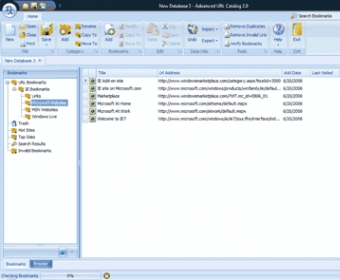
The user interface is very easy to understand. In the first look, a lot of buttons on the top of your screen can confuse you. But paying attention to their operations can make this program as simple as a game. These buttons are nothing else but cut, copy, grab, import and export buttons to manage your bookmarks.
One really cool feature of the program is its HTML export utility. You can export your entire database of URLs to an HTML file that can be shared via Email or USB thumb drive with your friends. A search tab enables you to search for desired links using keyword search in seconds.
Finally, if you are an Internet BUG, or a student, or working on Internet for a project work, the program is just made for you.






Comments